
User Roles Regulate Access Rights to Resource Pool
Role-based access control through user roles ensures that only authorized individuals have access to the resource pool in the project management tool Rillsoft Cloud.
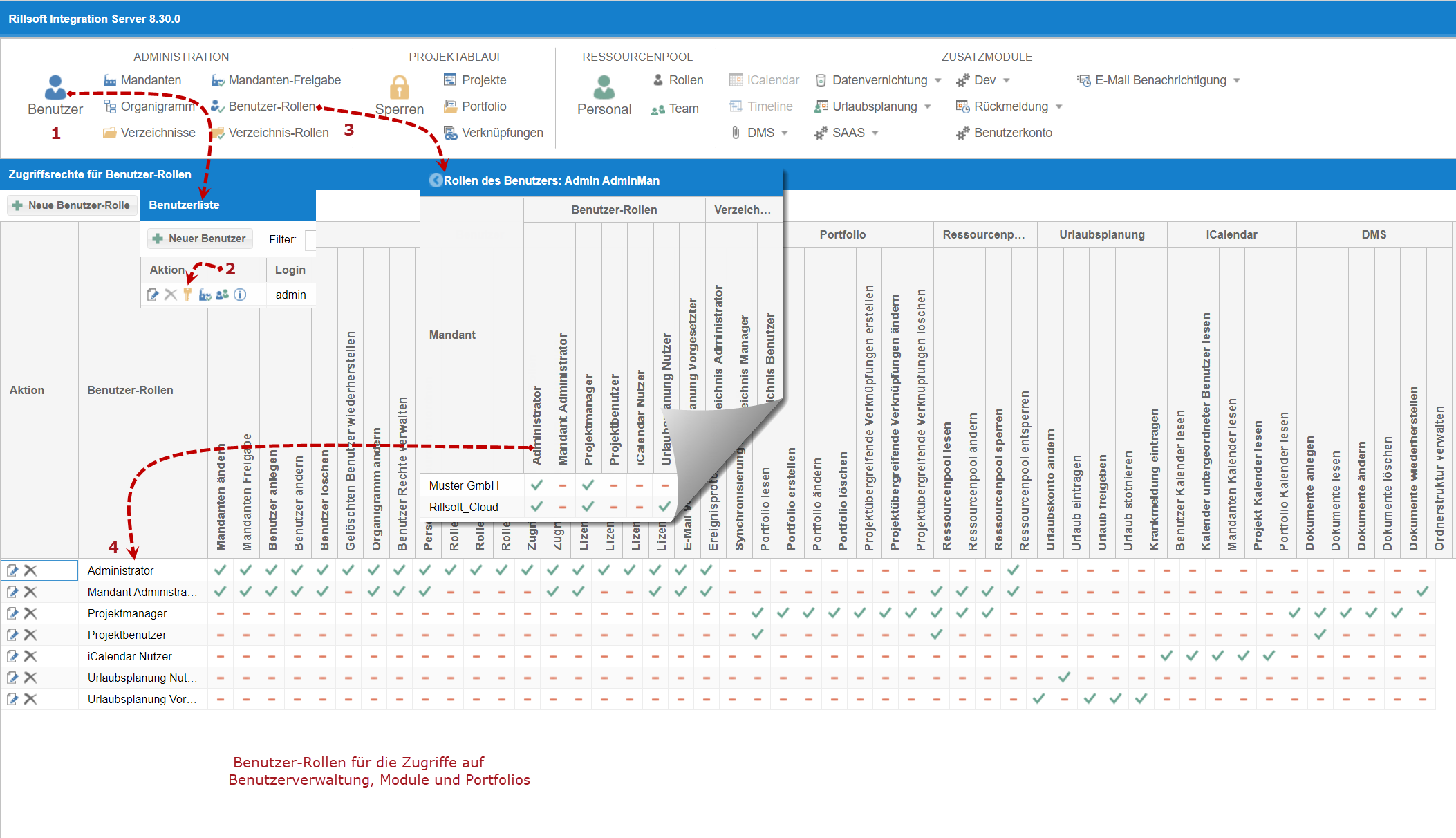
Role-based access control through user roles ensures that only authorized individuals have access to the resource pool in the project management tool Rillsoft Cloud.
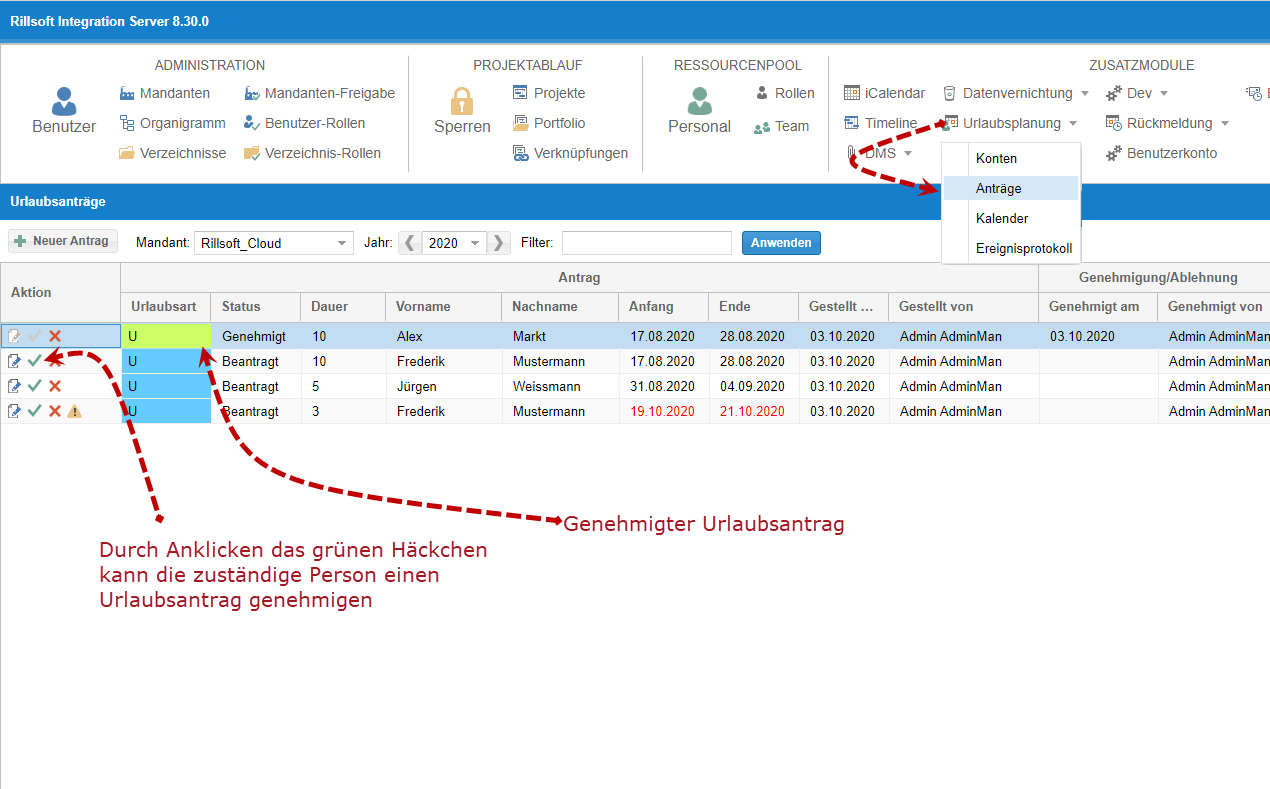
Project and HR managers receive a list of submitted vacation requests with an evaluation. They can approve a vacation request or impose a vacation ban to avoid time conflicts with project tasks.
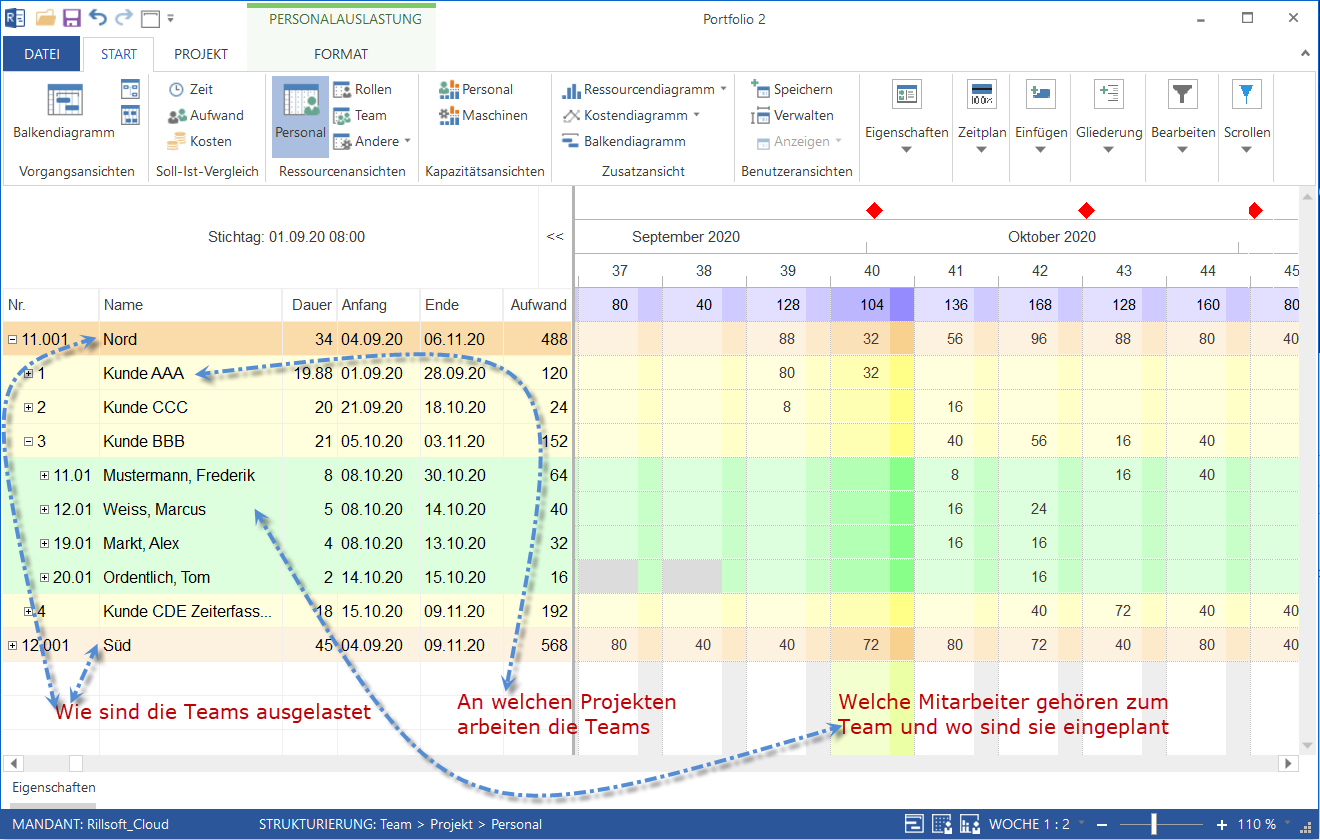
You can group personnel resources into teams based on relevant criteria such as departments, locations, and, if necessary, subcontractors. This way, Rillsoft Cloud resource planning software allows you to take into account employee locations or incorporate subcontractor capacities as needed in team deployment planning.
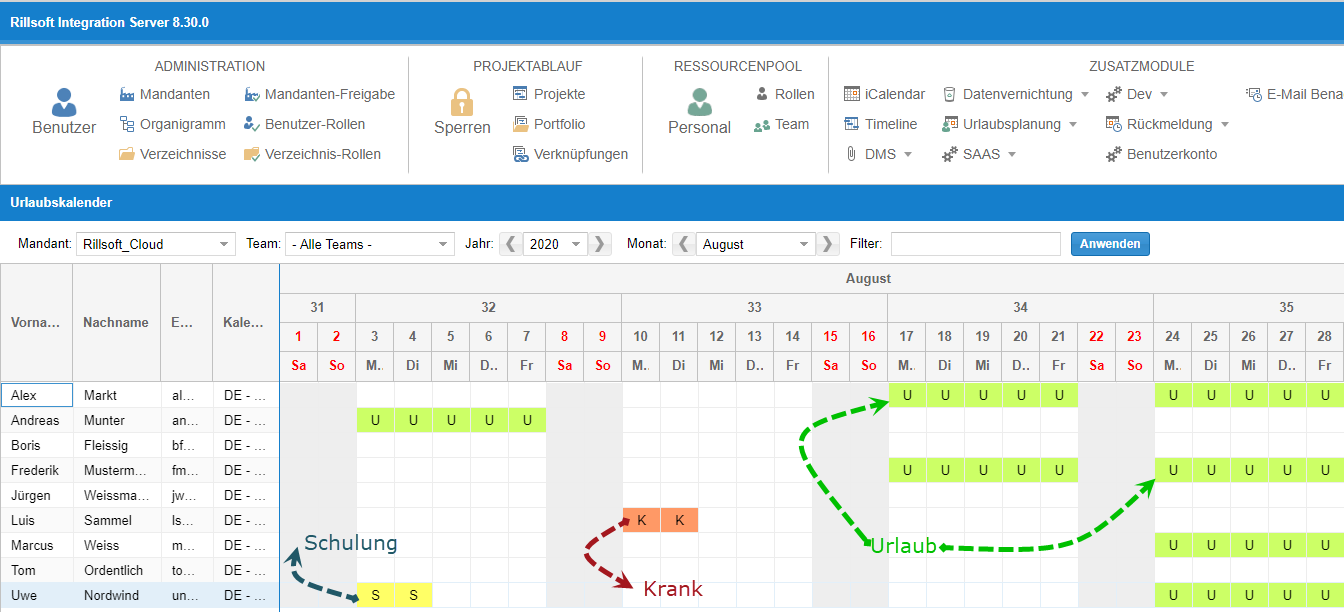
Clear representation of the absence times of all team members is available in the project management tool Rillsoft Project for project managers as well as in the web-based Rillsoft Cloud interface for colleagues.
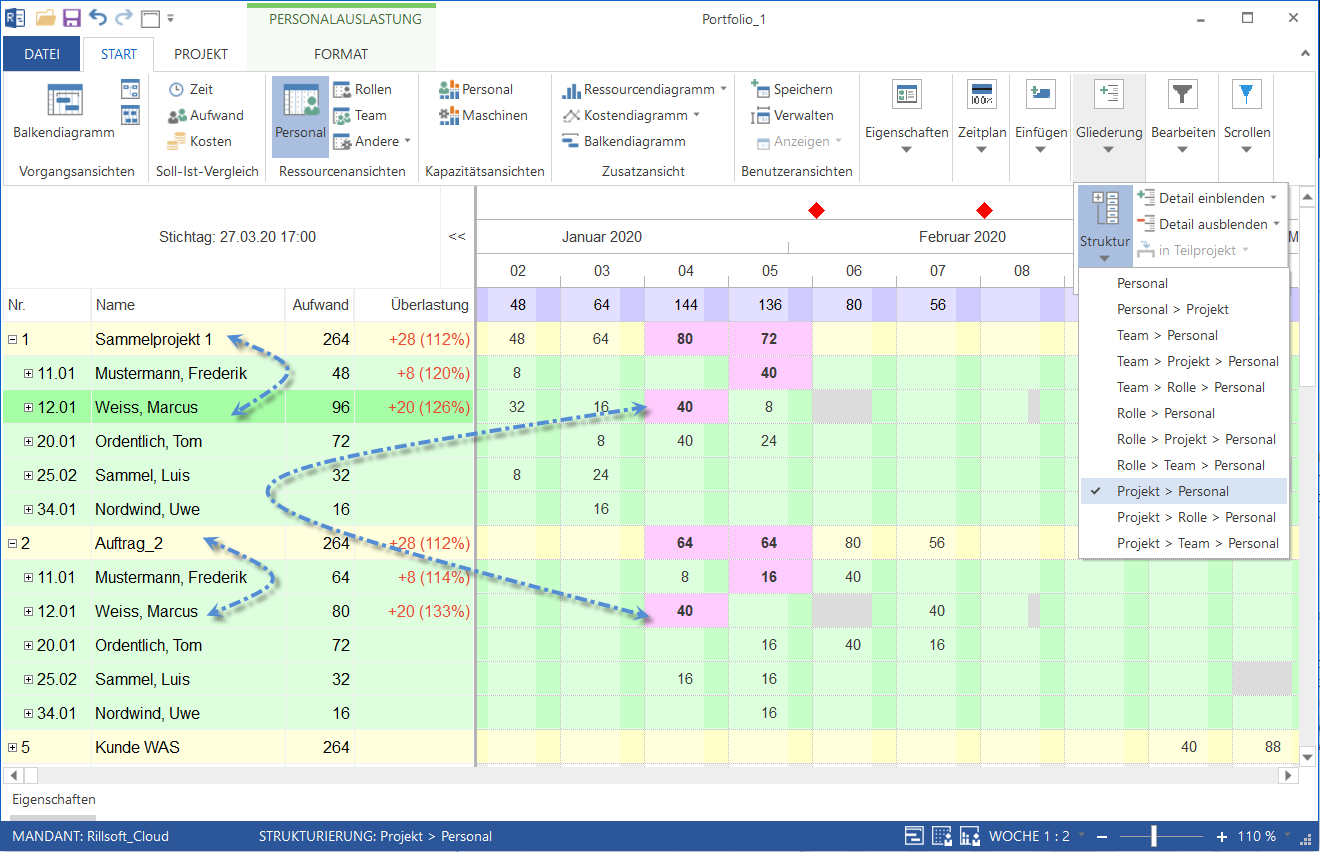
In staff scheduling, you can examine and analyze your multi-project data from various perspectives using the structuring feature in existing resource views.
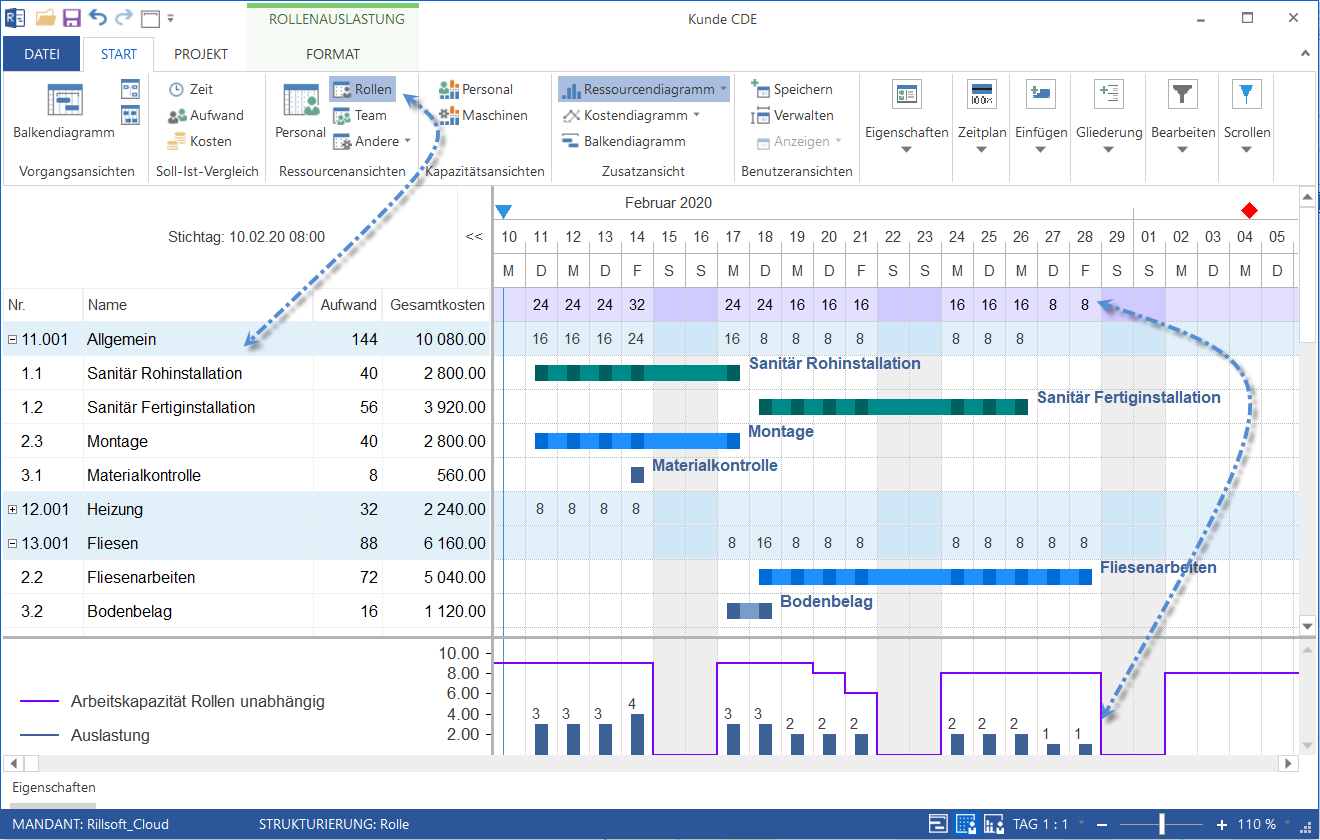
When your personnel resources are associated with various professional qualifications, you can quickly perform rough planning or feasibility analysis for your projects using Rillsoft Cloud workforce scheduling software.
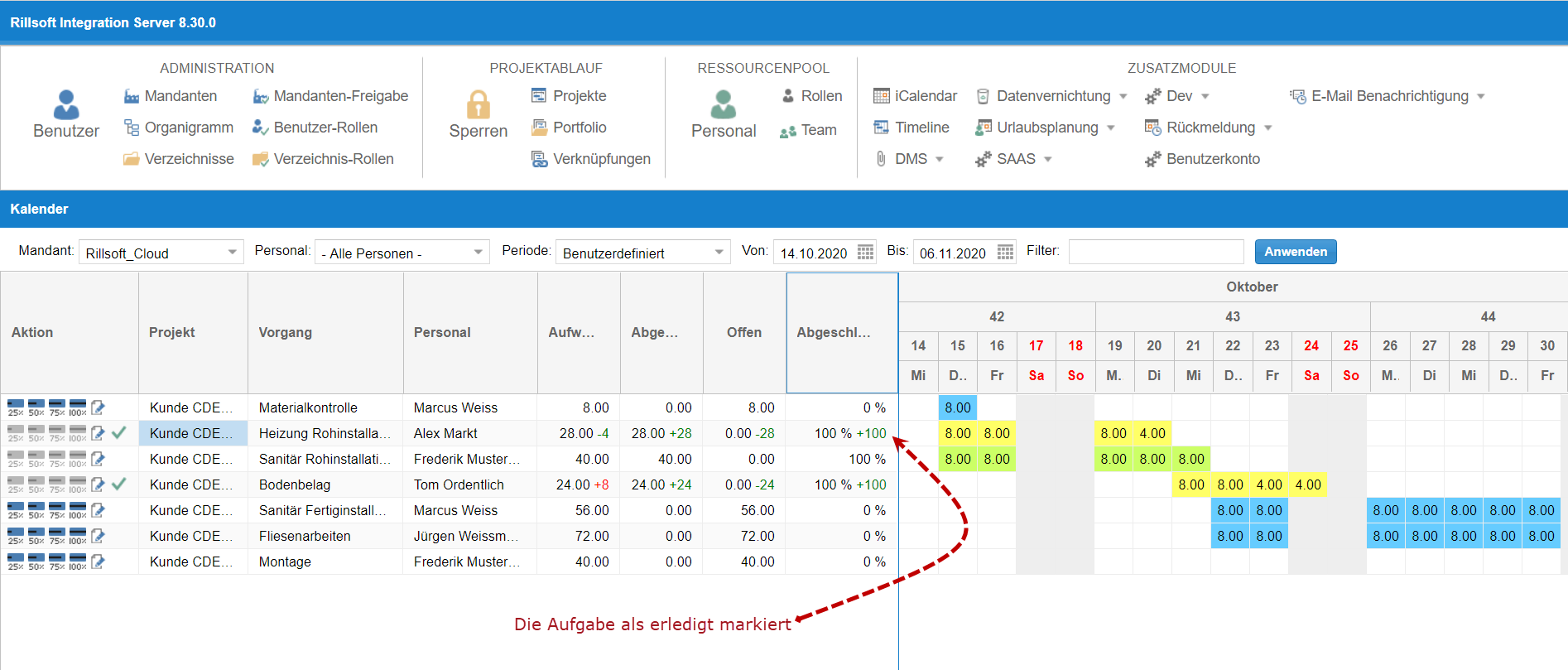
Time tracking software like Rillsoft Cloud allows you to flexibly adjust planned work effort during on-demand time tracking and manage remaining effort in case a project's effort is greater or less than expected.
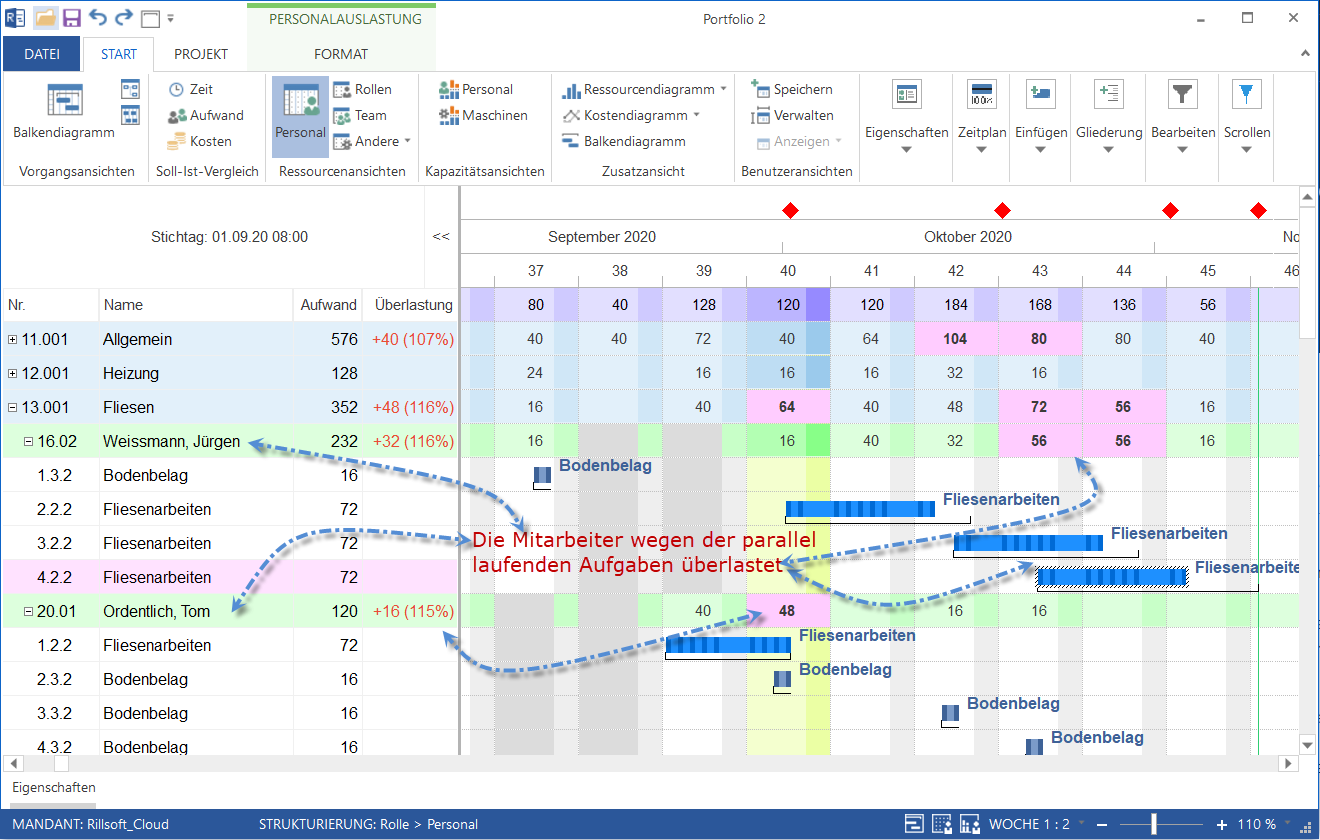
The staff scheduling software provides various views of employee workload, along with warnings about resource shortages and overloads. It takes into account not only professional qualifications and teams but also the working hours of personnel resources in a multi-project environment.
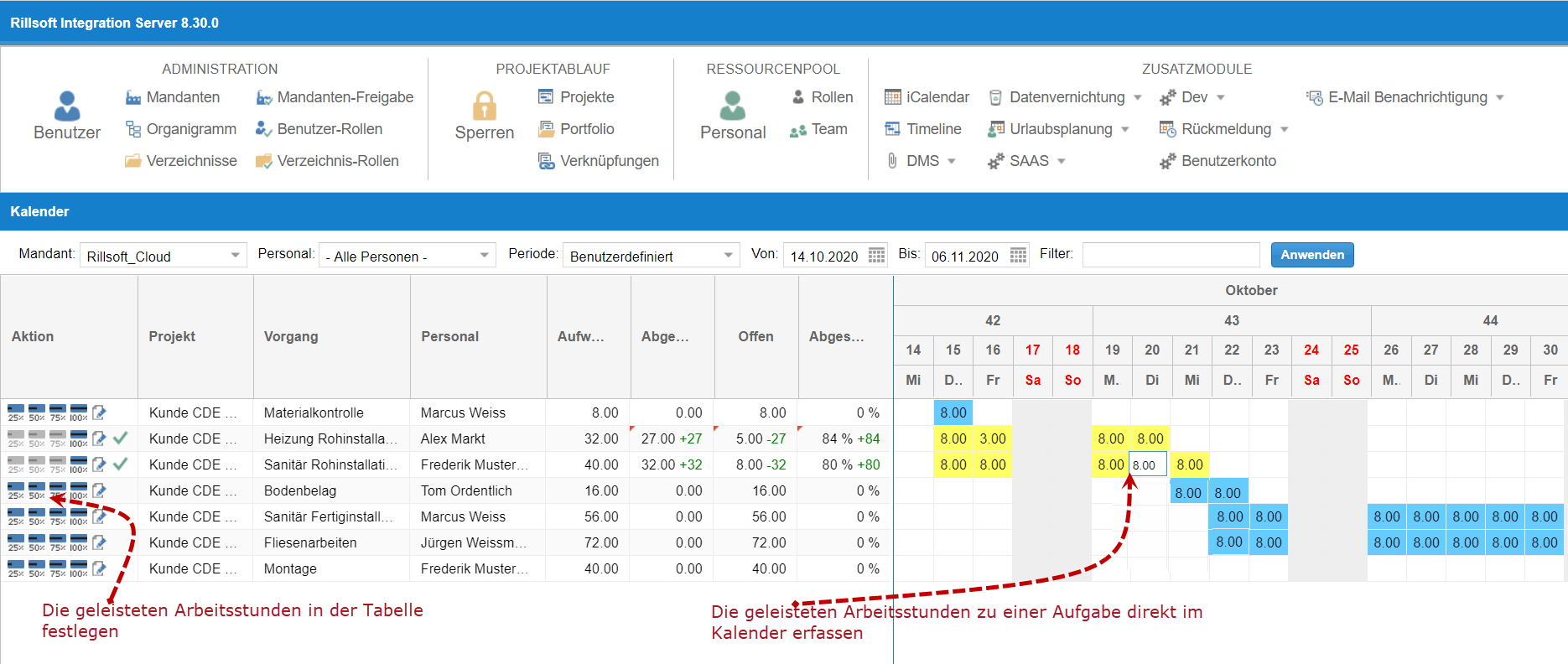
Rillsoft Cloud time tracking software allows you to quickly record hours worked on a project either in a calendar or in a table. Detailed or variant information regarding working hours can be entered via an input dialog.
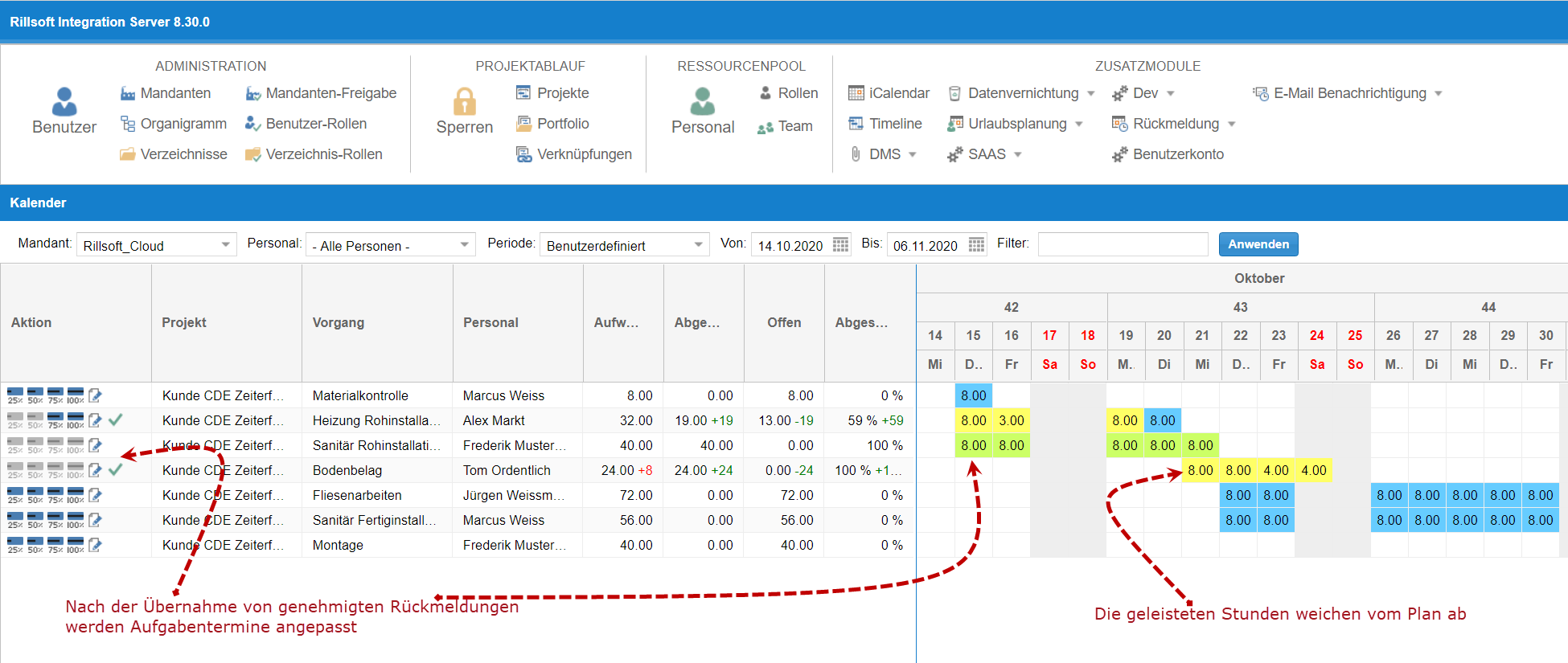
After time tracking, project data such as deadlines and efforts are adjusted accordingly, and variations between the planned and actual status are calculated and presented graphically.